SAP Activate
Methodology and implementation roadmap
Organises implementation work through phases, workstreams, tasks and deliverables, including fit-to-standard and readiness activities.

SAP Delivery
Connect plan, progress, resources, cost, forecast, risk and change in the context of SAP Activate. See where delivery is drifting and where intervention is required.
Explore recovery for SAP programmes →SAP Activate + Mantiva360
Two complementary roles across SAP S/4HANA implementation, ERP modernisation and complex transformation.
SAP Activate
Organises implementation work through phases, workstreams, tasks and deliverables, including fit-to-standard and readiness activities.
Mantiva360
Connects the project records behind progress, capacity, cost and forecast so leaders can investigate drift and manage the response.
SAP delivery in 90 seconds
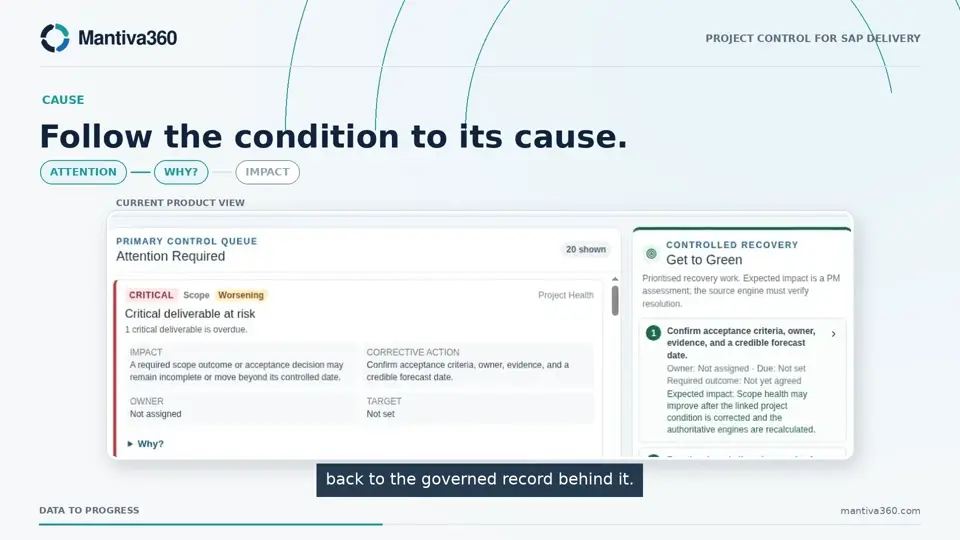
Connect delivery, cost and forecast context alongside SAP Activate. The film explains the control model using recorded demonstration views.
Explore Mantiva360 →Application access may require sign-in.
 90 sec
90 seconds · Captions in video
Follow a SAP programme signal from its source to an accountable response and a rechecked position.
Read descriptive transcript →The six-phase journey
Use SAP Activate phase context in Mantiva360 to organise the work and review its delivery economics. The examples below describe project-management uses, not SAP system execution.
Clarify the business case, delivery scope and assumptions before committing.
Connect workstreams, project planning, resources and delivery cost.
Track fit-to-standard activities, decisions and deliverables in the plan.
Review build, testing and data preparation work alongside progress, actuals and forecast.
Follow cutover activities, dependencies, issues, adoption and remaining work through hypercare.
Track transition actions, project closure and lessons for continuous improvement.
Phase names and fit-to-standard terminology checked against official SAP guidance. Read SAP’s methodology overview.
The programme in context
Review workstreams and activities alongside linked tasks, deliverables and resources. Relate delivery dates and remaining work to the forecast before the next milestone commitment.
Explore the Delivery Plan →
Where to use it
Apply the same connected project-management model to the work your SAP programme needs to coordinate.
Review fit-to-standard scope, delivery commitments and resource demand before they become forecast surprises.
Organise migration workstreams, dependencies and validation deliverables. Track the project effort and cost around the transition.
Track activities, remaining work, acceptance and issues. Keep the delivery consequence of repeated cycles visible.
Coordinate readiness activities, dependencies, decisions and unresolved issues in the project plan.
Review outstanding delivery obligations, resource demand and transition actions as the programme moves into operations.
Compare the current outlook with recovery scenarios. Route approved changes and reassess the result with Get to Green.
Specialist systems execute testing, migration and technical cutover. Readiness and quality decisions remain with the accountable programme team.
Fit your delivery toolchain
Mantiva360 complements SAP Cloud ALM, Solution Manager and specialist scheduling and financial systems. Evaluate the information flow, ownership and update cadence for your programme.
In Explore, SAP fit-to-standard workshops examine standard processes against business needs. Track the workshop activities, decisions, scope and deliverables in the wider delivery plan.
Start with a forecast movement, capacity constraint or readiness concern. Confirm supported data entry and import paths, the control method and who authorises the response.
Download evaluation checklistMantiva360 is an independent product. SAP endorsement, certification or partnership is not implied. Native SAP connectivity and automated SAP quality-gate certification are not claimed.
See the signals. Change the outcome.
For sales, demos and general enquiries, email [email protected].
Application access may require sign-in. Request a demo opens your email app so you can send an enquiry.