 60 sec
60 seconds · Captions in video
Five questions before the next commitment
Examine the working behind cost, delivery and risk before making the next commitment.
Read descriptive transcript →
Resources
Start with the buyer overview, examine the Cockpit, or explore SAP delivery. Every featured film has a written alternative.
60 sec60 seconds · Captions in video
Examine the working behind cost, delivery and risk before making the next commitment.
Read descriptive transcript →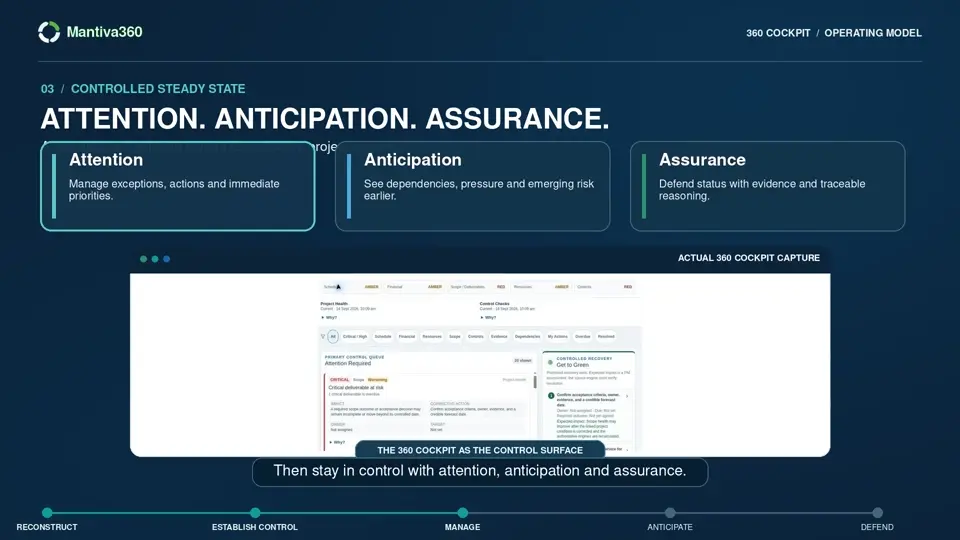 30 sec
30 seconds · Captions in video
See how Attention, Cause, Action and Impact help teams spend less time reconstructing status.
Read descriptive transcript →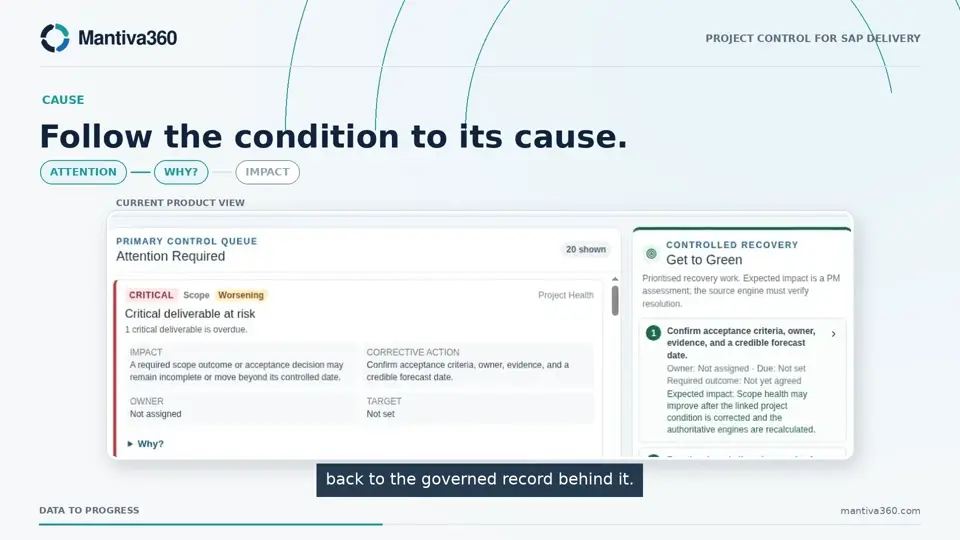 90 sec
90 seconds · Captions in video
Follow a SAP programme signal from its source to an accountable response and a rechecked position.
Read descriptive transcript →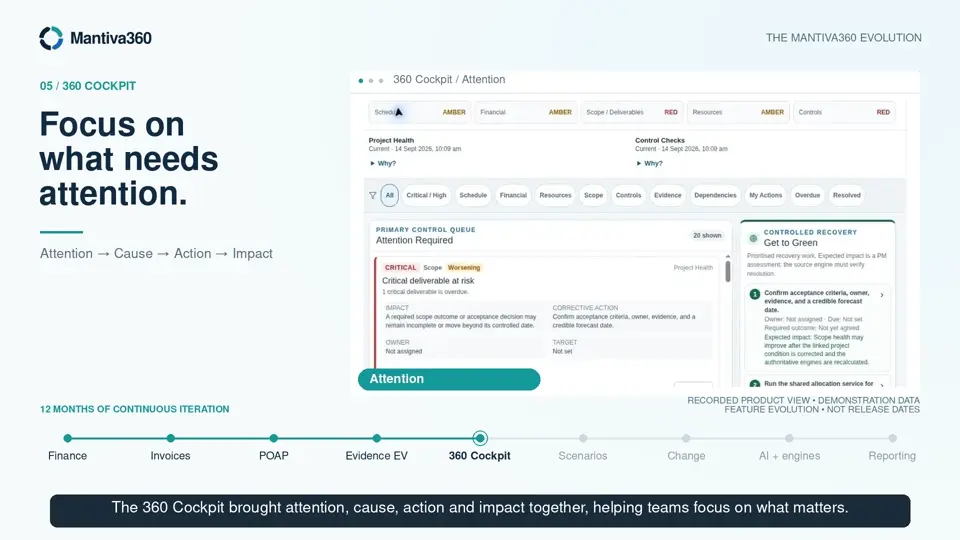 90 sec
90 seconds · Captions in video
The founder’s product journey from financial tracking to connected project performance intelligence.
Read descriptive transcript →Earlier films remain available through their original links. Their relationship to the newer edits and their captions are still under review.
About 31 seconds
Watch film ▶Open on YouTube ↗About 90 seconds
Watch film ▶Open on YouTube ↗About 30 seconds
Watch film ▶Open on YouTube ↗YouTube players load only when requested. Captions and a verified transcript for the existing YouTube content still need review.
Narration from the production transcripts, with visual descriptions and downloadable English captions.
Visual description: Five buyer questions progress from a challenged status to the next commitment. Illustrative status cards disagree about delivery, acceptance and forecast. Recorded Cockpit screens accompany Attention, Cause, Action and Impact. The closing invitation asks the viewer to test one difficult project question.
Audio: Narration with instrumental background music.
MANTIVA360 FIVE WHYS
60-second promotional film transcript
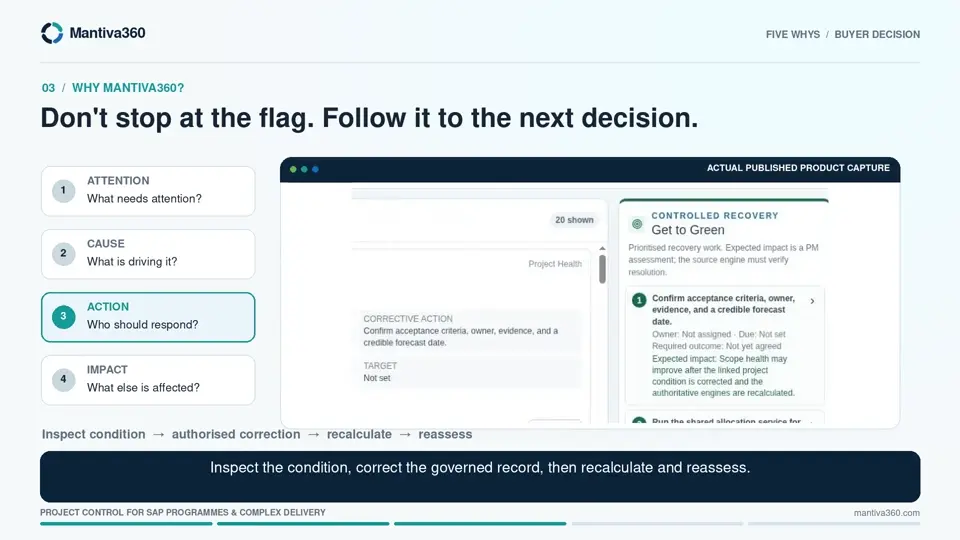
When project status is challenged, can you explain what supports it, what needs attention, and who needs to respond?
Why change? A status update is not a decision you can defend. Delivery may say on track, while acceptance is unconfirmed and the forecast needs review.
Why not existing tools? Keep what works. Mantiva360 focuses on the project-control gap across delivery, evidence, cost and risk.
Why Mantiva360? Move from Attention, to Cause, to accountable Action, to Impact. Inspect the condition, correct the governed record, then recalculate and reassess.
Why trust it? Mantiva360 shows the working. Deterministic controls calculate the result. Read-only assistance explains permitted records. Authorised people remain responsible for decisions and changes.
Why act now? Before the next steering committee, acceptance decision or delivery gate, test one difficult question.
Can you defend the next commitment?
Mantiva360. A project decision you can defend. Data to Progress. Explore at mantiva360.com.
Visual description: A diagram brings plans, resources, risks, decisions and evidence into one project picture. The sequence then shows an ongoing cycle: resolve gaps, strengthen evidence, connect cause to action and recheck the position. Recorded Cockpit captures support Attention, Anticipation and Assurance.
Audio: Narration with instrumental background music.
Mantiva360 360 Cockpit
30-second promotional film
Project information is everywhere. Confidence starts when it becomes one clear project picture. Mantiva360 connects plans, risks, forecasts and evidence into a connected project view. Resolve gaps. Strengthen evidence. Connect cause to action. Recheck the position. Then stay in control with attention, anticipation and assurance. Less time reconstructing status. More time controlling delivery. Mantiva360. Data to Progress.
On-screen end card:
Mantiva360
Data to Progress.
Explore at mantiva360.com
Visual description: Connected plans, progress, resources, actuals, forecasts and risks lead into recorded Cockpit findings and corrective-action views. The team changes the governed source before recalculation. Progress options are distinguished. SAP Activate is shown as delivery context. No successful recovery or quantified saving is depicted.
Audio: Narration with instrumental background music.
On a complex SAP programme, status can become a weekly chase across schedules, spreadsheets, forecasts, RAID logs and email. When the signals disagree, leaders lose time debating the report instead of acting on delivery.
Mantiva360 brings the project-control picture together. Plans, progress, resources, actuals, forecasts and risks are reviewed in one connected context.
Start with attention. The 360 Cockpit surfaces material findings and shows which dimension is affected. Then ask why. Follow the reason-coded condition back to the governed record behind it.
Move from cause to action. See the owner, target date, required outcome and expected impact. The team makes the change in the authorised source. Mantiva360 reruns deterministic health and reconciliation checks, so the result is inspected rather than assumed.
The Delivery Plan connects activities, tasks, deliverables, evidence and dependencies. Progress follows the project's configured control method. Evidence and accountable assessment support confidence, but neither time nor cost automatically creates earned progress.
For SAP delivery, work can be viewed in an SAP Activate phase context without replacing the tools teams already use.
Built-in health and reconciliation agents highlight exceptions. Read-only AI helps authorised users understand their project data and the next decision.
Mantiva360. Know what needs attention, and why. Data to Progress. Learn more at mantiva360.com.
Visual description: A sequence moves through financial tracking, invoice reconciliation, Plan on a Page, evidence-based earned value, Cockpit, scenarios, change requests, AI assistance and calculation engines, and reporting. Product screens are recorded demonstration states. Some governance sequences are illustrative concepts. The closing screen points to mantiva360.app.
Audio: Narration with instrumental background music.
Mantiva360: Built from delivery. Evolved for control.
90-second demo opener
000.0s to 005.0s | THE DELIVERY CHALLENGE
Plenty of project information. But where do you really stand?
005.0s to 014.0s | BUILT ALONGSIDE DELIVERY
Over twelve months, Mantiva360 evolved alongside multiple projects. Each delivery challenge informed the next iteration.
014.0s to 021.0s | 01 / FINANCIAL TRACKING
It began with financial tracking: bringing budgets, forecasts and actuals into view.
021.0s to 026.5s | 02 / INVOICE RECONCILIATION
Invoice reconciliation added another layer of commercial control.
026.5s to 034.5s | 03 / PLAN ON A PAGE
The plan on a page connected activities, dependencies and resources to the delivery picture.
034.5s to 042.5s | 04 / EVIDENCE-BASED EV
Evidence-based earned value brought supporting evidence into the assurance of reported progress.
042.5s to 051.5s | 05 / 360 COCKPIT
The 360 Cockpit brought attention, cause, action and impact together, helping teams focus on what matters.
051.5s to 058.5s | 06 / SCENARIO MODELLING
Scenario modelling opened up alternatives, making resource and cost trade-offs easier to explore.
058.5s to 065.5s | 07 / CHANGE REQUESTS
Change requests brought scope and resource decisions into a governed process.
065.5s to 074.5s | 08 / CONNECTED INTELLIGENCE
Today, AI agents assist analysis. Calculation engines compute the controls. People remain accountable for decisions.
074.5s to 085.0s | 09 / INTEGRATED REPORTING
Integrated reporting carries that connected picture into the conversation. Less time reconstructing status. More time controlling delivery.
085.0s to 090.0s | LET'S SEE IT IN ACTION
Mantiva360. Data to Progress. Let's see it in action.
Silent 10-second film. A project manager compares documents and competing screens, then turns to a connected Cockpit view. Text moves from “Plenty of project information. Still no clear picture” to “Know what needs attention”, followed by Attention, Cause, Action and Impact. The film ends with Mantiva360 and “Data to Progress”. Office footage is illustrative; the final screen is a recorded product capture.
This unfinished film has been withdrawn from the public collection. Explore the buyer overview above for the project decision model.
Evaluate
Use the project evaluation checklist to examine traceability, actionability, effort and governance in a representative scenario.
See the signals. Change the outcome.
For sales, demos and general enquiries, email [email protected].
Application access may require sign-in. Request a demo opens your email app so you can send an enquiry.