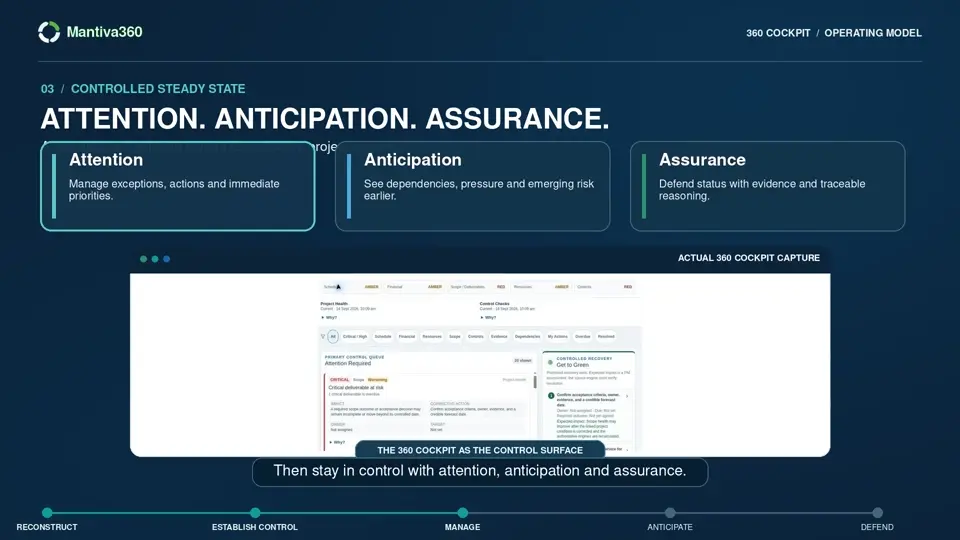
 30 sec
30 seconds · Captions in video
Turn project signals into accountable action
See how Attention, Cause, Action and Impact help teams spend less time reconstructing status.
Read descriptive transcript →
The product
Understand where money and time are being lost, what is driving the change, and which response is worth pursuing.
01 / Detect
The 360 Cockpit brings Project Health and reconciliation findings into a focused review surface. Inspect cost, progress, schedule and resource context, then follow the finding to its source.
360 Cockpit · Project Health · RAID

30-second Cockpit tour
Inspect what needs attention, connect it to accountable action and recheck the position. Assignment alone does not resolve the underlying finding.
Explore Mantiva360 →Application access may require sign-in.
30 sec30 seconds · Captions in video
See how Attention, Cause, Action and Impact help teams spend less time reconstructing status.
Read descriptive transcript →02 / Understand
Review the affected record alongside baseline, current forecast, actuals and risk. A signal helps you locate a problem; project judgement establishes the cause.
Use forecasts to examine remaining effort and cost-to-complete. Keep potential exposure separate from committed cost and validated savings.
Forecasts · Actuals · Risks, assumptions, issues and dependencies

03 / Look ahead
Inspect the current outlook, remaining work and resource demand. Follow activities into tasks, scope and deliverables to understand where dates, capacity or acceptance need attention.
Delivery efficiency depends on realistic work and capacity assumptions, not an individual employee productivity score.
Delivery Plan · Tasks · Scope & Deliverables · Resources

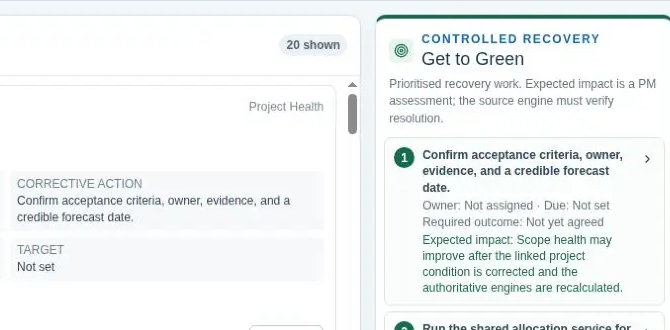
04 / Get to Green
Make recovery an explicit decision. Assess the current position, compare responses and retain the assumptions behind the chosen route.
Keep original commitments, the approved baseline and the current forecast distinguishable. Surface gaps in the inputs rather than treating unknowns as zero.
Use Forecast, Delivery Plan and Change Request scenarios to examine modelled impacts. Confirm the cause, owner, due date, assumptions and residual risks.
Route the response to source correction, recovery within authority, formal change or sponsor escalation. Retain the decision and its rationale.
A modelled efficiency opportunity is conditional on the assumptions and successful execution. It is not a validated saving.
05 / Act
Link recovery to the existing Change Request workflow when commitments need to change. Assess, approve and implement through authorised roles. Keep corrective actions accountable with a required outcome.
Change · Corrective actions · Scenario modelling
06 / Verify
Reassess the source conditions and review the new outlook. Completing an action or approving a change alone does not prove recovery.
Get to Green checks the current position again. Source changes and stale assessments require rechecking; the original recovery position remains visible.
Prepare project reporting from canonical results. Review the narrative and supporting records before sharing the position with executives.
Connected reports and read-only AI assistance help authorised users interpret permitted records and reduce repetitive preparation.
Get to Green · Reports · AI assistance · Calculation engines
The trust underneath
The result should be explainable all the way back to the records and assumptions that produced it.
The configured control method governs progress recognition. Time, cost or an evidence upload does not automatically create earned progress.
Deterministic calculations and reconciliation establish the reported measures. AI explanation remains separate from the calculation path.
Your authorised team owns changes and the underlying condition must be resolved before the finding can close. Source quality and freshness matter.
Promotional renderings based on the live interface. These simplify the workflow with representative fictional data; they are not product captures.


See the signals. Change the outcome.
For sales, demos and general enquiries, email [email protected].
Application access may require sign-in. Request a demo opens your email app so you can send an enquiry.